Choosing an IPTV Subscription USA should be about more than the biggest channel count or the lowest advertised price. The right service needs to work on your actual television or streaming device, permit the number of streams your household needs, make billing terms clear, and have the rights to provide the programming you plan to watch.
IPTV—short for Internet Protocol Television—describes television delivered using internet networking. It is a delivery method, not a guarantee that a particular subscription is trustworthy or authorized. Some services offer officially licensed TV channels and live sports; others may offer access without appropriate distribution rights. The important distinction is the provider and the content it is permitted to distribute.
This guide explains how to evaluate IPTV plans, understand device support, run a useful trial, compare long-term costs, and avoid preventable setup problems before you pay.
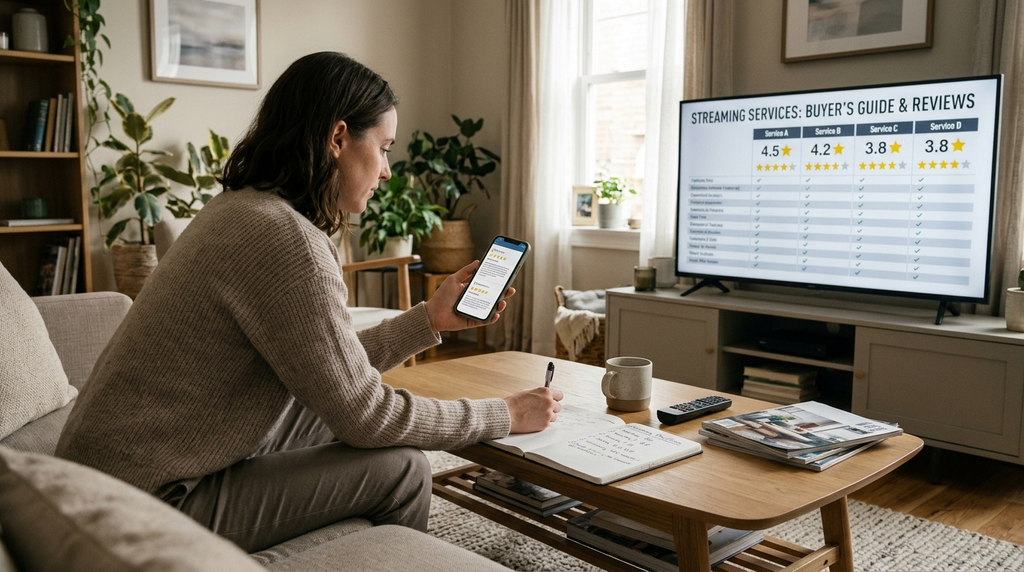
Quick answer: Before buying an IPTV plan, check the seller’s identity and distribution rights, confirm your preferred channels and regional availability, verify support for your exact device, choose the number of simultaneous connections you need, read trial and refund terms, and test playback on your normal home network. Do not buy a long-duration plan until those basics are clear.
Table of Contents
Table of Contents
What an IPTV Subscription Includes
A subscription and a player application are two different things. The subscription determines the service and content access; a compatible player is the software used to view that access on a supported device. Installing an IPTV player alone generally does not grant a license to watch subscription channels.
Depending on the provider and package, a plan might offer live TV, a video-on-demand catalog, an electronic program guide (EPG), multiple simultaneous streams, or customer assistance with setup. None of those features should be assumed to be included in every plan.
When comparing a service, look for four separate pieces of information:
- Service: Who supplies the programming, and what is the seller’s legal identity and support contact?
- Content: Which specific channels and programs are licensed and available in your location?
- Playback: Which devices and player apps are supported, and are there any app fees?
- Contract: What are the actual prices, renewal conditions, connection rules and refund arrangements?
A sensible purchase starts by matching these four pieces to your household rather than treating a marketing banner as a complete contract.
How to Compare IPTV Subscription USA
Start with your household’s viewing pattern. A person using one television in the evening has different needs from a family watching two separate programs at once. If you move between a bedroom TV, a living-room streamer and a phone, you also need to know whether the provider counts registered devices or simultaneous streams.
Use the table below to evaluate any offer. The entries are questions rather than promises about a particular seller.
| Buying factor | What to verify | Why it matters |
|---|---|---|
| Content | Exact included channels, program rights and geographic restrictions | A high total channel count does not establish access to the programs you value |
| Device support | Make, model, operating system and compatible player | A TV being “smart” does not mean it runs every app |
| Connections | Number of streams permitted at the same time | Two active screens may require a two-stream plan |
| Picture quality | Available source resolution and actual performance during a trial | A 4K badge does not prove every stream is 4K |
| TV guide | Whether the EPG is present and accurate for your channels | Easier browsing depends on meaningful guide information |
| Support | Contact method, hours, response expectations | An activation issue should have a clear escalation path |
| Billing | Full price, recurring charge, term, taxes and add-ons | The apparent monthly rate may not be the total cost |
| Cancellation | Steps, deadlines, automatic renewal and refunds | You should know your options before paying |
| Rights | Evidence that the provider can supply the requested programming | Streaming technology alone does not establish authorization |
Prioritize the channels you actually use
Write down a short must-have list: local news, one or two entertainment networks, a children’s channel, and the sports or other events you follow. Then confirm those specific programs against the relevant plan and ZIP-code or regional restrictions where applicable. A general “sports included” statement is not a guarantee that a particular match or local broadcast is covered.
Do not confuse the existence of an EPG listing with a promise that the program will play. Listings, licenses and active streams can be separate issues.
Avoid buying by the channel count alone
A large catalog may include duplicates, multiple languages, inactive listings, or content you will never watch. Compare the quality and usefulness of the particular channels and services you need. Ask whether a reported catalog count includes VOD titles and regional duplicates, and whether the provider can explain which channels are included in your actual subscription.
Which Devices Work with IPTV?
There is no universal IPTV app that works identically on every television. Support depends on the streaming service, the device’s operating system, the app’s availability and the way the provider authenticates subscribers.
| Device family | Practical first check | Common consideration |
|---|---|---|
| Amazon Fire TV / Fire TV Stick | Search the built-in Amazon Appstore for an officially available, compatible app | Avoid assuming an APK designed for a different Fire TV model will work |
| Google TV / Android TV | Search the device’s Apps interface / Google Play listing | App availability can vary by region and device model |
| Samsung / LG Smart TV | Check the television’s own app store and exact model year | Samsung Tizen and LG webOS are not the same as Android TV |
| iPhone / iPad | Check the Apple App Store and provider documentation | Some player apps require a separate purchase or account |
| Android phone / tablet | Check the Play Store and app publisher | Verify publisher identity and permissions |
| Windows / Mac | Review browser or desktop-player requirements | Player support and account access are separate questions |
Amazon documents how to download apps on Fire TV, while Google publishes its own Google TV app installation guide. These instructions verify the general process for obtaining apps—not the availability of a specific IPTV service on every device.
Before you buy a player application
Confirm with the IPTV provider which login method is required. Some services use an account name and password; others may supply a provider-specific server address or playlist details for compatible players. A separate app subscription can be required for some players, even when you already pay for the content service.
Treat account credentials and private playlist URLs like passwords. Never paste them into public comment sections or support forums. Check the publisher of any app you download, particularly if a website asks you to install software from an unfamiliar location.
How to Test an IPTV Free Trial
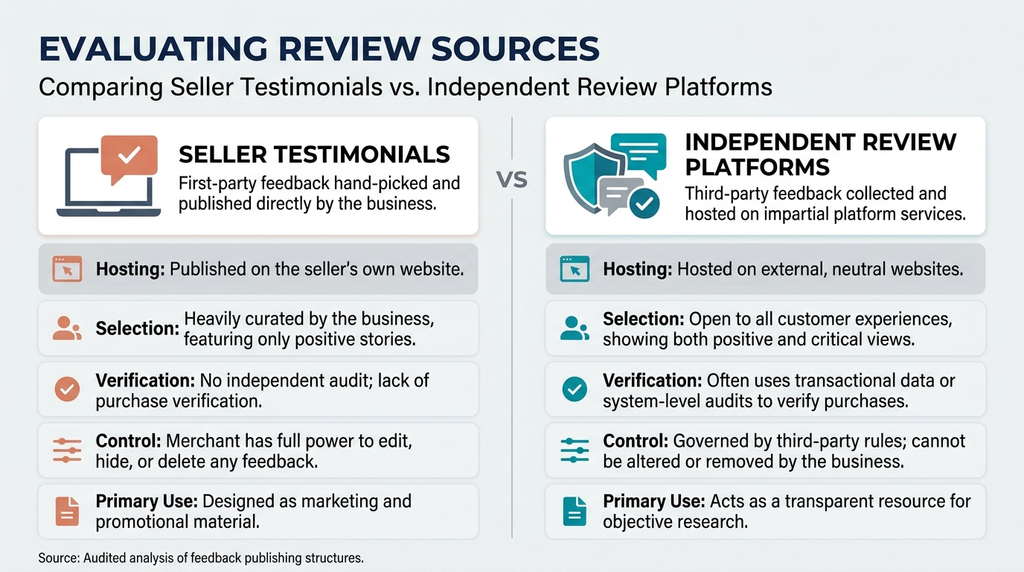
A free trial is valuable only if its terms are transparent and it lasts long enough to test your real viewing routine. Do not assume that every provider offers a trial, that the trial is free of payment-card requirements, or that it can be canceled without further steps. Review the exact offer on the seller’s site before starting.
The practical trial test
- Confirm the terms. Record the trial start and end, what content is included, whether a card is required, and whether billing starts automatically.
- Test the main television first. Use your actual Fire TV, Google TV, Smart TV or other everyday device, rather than relying only on your phone.
- Open your must-have channels. Confirm the channels and program types that matter to you, including any geographic restrictions.
- Check the TV guide. Navigate programs, switch channels, and see whether titles and times are useful.
- Try normal and busy periods. Test when you would usually watch TV; one successful afternoon playback does not establish evening performance.
- Check audio, subtitles and video. Make sure they work on the chosen app and device, where those features are advertised.
- Ask a support question. Use the published support channel, then assess whether you receive a clear answer. Do not infer around-the-clock service from one response.
- Keep evidence. Save your plan description, order confirmation, and written trial or refund terms.
Trial notes you can keep
| Test | Result | Follow-up |
|---|---|---|
| Main TV can install a supported app | Pass / Fail | App, device and version |
| Account login works | Pass / Fail | Error message, if any |
| Essential channels play | Pass / Fail | Exact channels and region |
| TV guide works | Pass / Fail | Missing or incorrect listings |
| Peak-time playback is usable | Pass / Fail | Time, channel, network used |
| Billing and cancellation rules are clear | Pass / Fail | Link or written confirmation |
| Customer support explains a real question | Pass / Fail | Contact channel and answer |
As the US Federal Trade Commission explains in its guidance on free trials and automatic renewal, you should know when a promotional period ends, whether recurring charges apply, and how cancellation works. Keep a record of any cancellation request.
Understand Connections, Screens and Households
One of the most common purchasing mistakes is confusing the number of devices on which an app is installed with the number of simultaneous active streams. A household might install a compatible player on three devices but need only one stream if only one person watches at a time. Two family members watching different channels simultaneously generally require two concurrent streams, if the provider permits that arrangement.
Here is a planning example, not a description of any particular plan:
| Household scenario | Concurrent streams to ask about |
|---|---|
| One television playing at a time | 1 |
| Living room and bedroom playing simultaneously | 2 |
| Two TVs plus a phone viewing at once | 3 |
| Several family members viewing independently | Count the maximum concurrent viewers |
Ask the provider explicitly: Does switching devices require logging out? Are simultaneous streams limited by home network, location, IP address or account? Are multiple households allowed? Does a device left playing in the background consume a stream?
Never assume that a “five-device” marketing label is the same as five simultaneous, independent connections. Choose according to the written terms.
Check Content Rights, Local Channels and Sports
IPTV is a technology, not a legal classification. An authorized service may transmit programming over the internet; an unauthorized service may use similar networking methods to redistribute copyrighted programming without permission.
For a US buyer, the safest practical approach is to establish who operates the service and how it is authorized to provide the content you care about. Read its business information and terms. Where available, cross-check rights and availability with official channel, sports league or rights-holder information. If the seller cannot explain the source and authorization of premium programming, do not treat a channel-count advertisement as evidence of licensing.
The US Copyright Office explains that copyright owners hold rights concerning retransmission and public performance of television and audiovisual works. The details of any particular service depend on its actual rights and arrangements, not simply whether it uses internet delivery.
Local broadcasts and sports blackouts
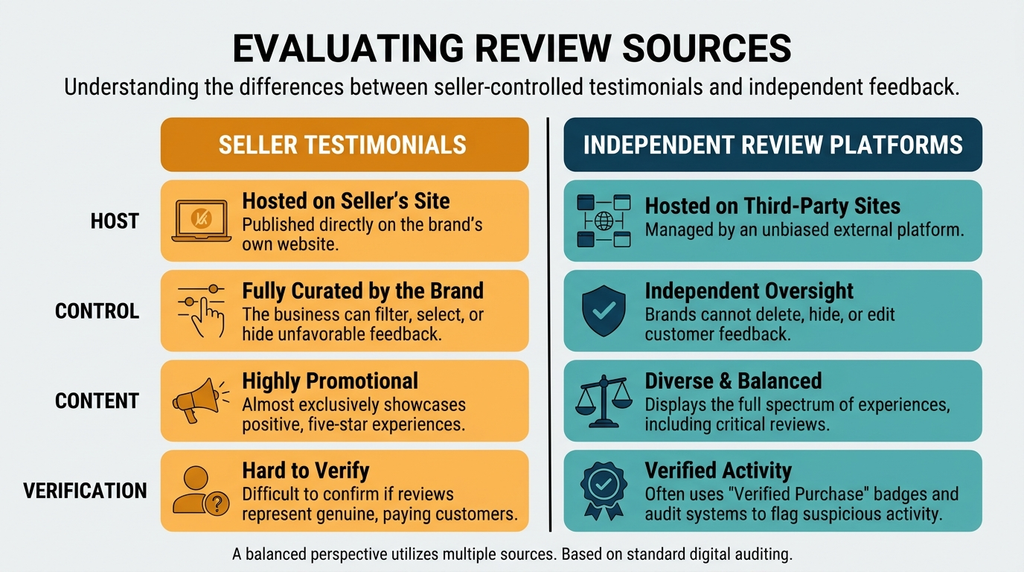
Local networks, regional sports networks and individual games may be subject to ZIP-code restrictions, exclusivity arrangements or blackouts. Check the specific event and region rather than relying on a broad phrase such as “all US sports.” A plan that works for entertainment programs may not have the rights for the live event you expect.
Compare official alternatives too
Licensed US live-TV services such as YouTube TV, Hulu + Live TV, Sling TV, Fubo and DIRECTV offer different mixes of channels and features. Their packages, prices and local coverage change, so verify the details directly with each company before comparison. These services are examples of established market options, not a claim that each offers identical programming or IPTV-player authentication.
Compare Real Costs and Subscription Terms
An annual payment can look cheaper per month, but it also locks more money into one decision. A monthly option may cost more over a year while making it easier to stop or change service if it disappoints. Neither is always better.
Calculate the true cost using this simple framework:
Total first-period cost = advertised subscription price + applicable taxes + setup fees + required player fees + any necessary add-ons.
Then compare what is due at renewal. If a promotion ends after the first term, use the regular price to judge the longer-term cost. If a service offers a one-month plan and a one-year plan, compare them using the same connection count and content rights.
Before checkout, verify all of the following in writing: whether the plan renews automatically; when the next charge occurs; how to cancel; the cancellation deadline; which payment methods are accepted; whether the plan is refundable; whether activation begins immediately; and what happens if a promised feature is unavailable.
A clear receipt and a documented support channel matter more than a vague “100% guaranteed” claim. The FTC recommends reviewing subscription terms and retaining cancellation documentation. Read its consumer guidance before agreeing to recurring billing.
Troubleshoot Before Blaming the Provider
Playback problems have several possible causes. They may arise from the local internet connection, Wi-Fi signal, device resources, app version, login details, subscription status, a specific channel source, or the service itself. Work through the problem in a structured way before changing multiple settings.
App will not install
First confirm the exact operating system and model. Search the device’s official app catalog for a compatible application. A player available on Android phones is not necessarily offered on a Samsung TV, LG TV or particular Fire TV model. Do not download a random third-party file simply because it contains a familiar player name.
Login credentials are rejected
Check whether you are entering credentials into the correct place: the seller’s customer portal and the media player may use different account information. Copy the username, password and any server address exactly as issued. Make sure you have not added a space, swapped a letter for a digit, or used an expired account. Contact the seller privately if the information still fails.
Video keeps buffering
Start with the simplest comparison: does another legitimate streaming app work on the same device and network? If it does, test the affected stream on another supported device using the same account within the permitted connection limit. Try a wired Ethernet connection or stronger Wi-Fi, and check whether another family member is using substantial bandwidth. Restart the player and device if appropriate.
If the problem affects only one channel while other channels work, record that channel and the time; this evidence helps support narrow down the issue. Do not promise that a VPN or an arbitrary player setting will solve a rights, source or availability problem.
Picture works but the guide or sound does not
Verify whether the service supplies EPG data, whether the player can display it, and whether the issue occurs on more than one channel. For sound, check the television’s audio output and the player’s supported audio formats. Some sources may not offer subtitles or alternative audio, and the feature might be package-dependent.
A Simple Buying Decision Checklist
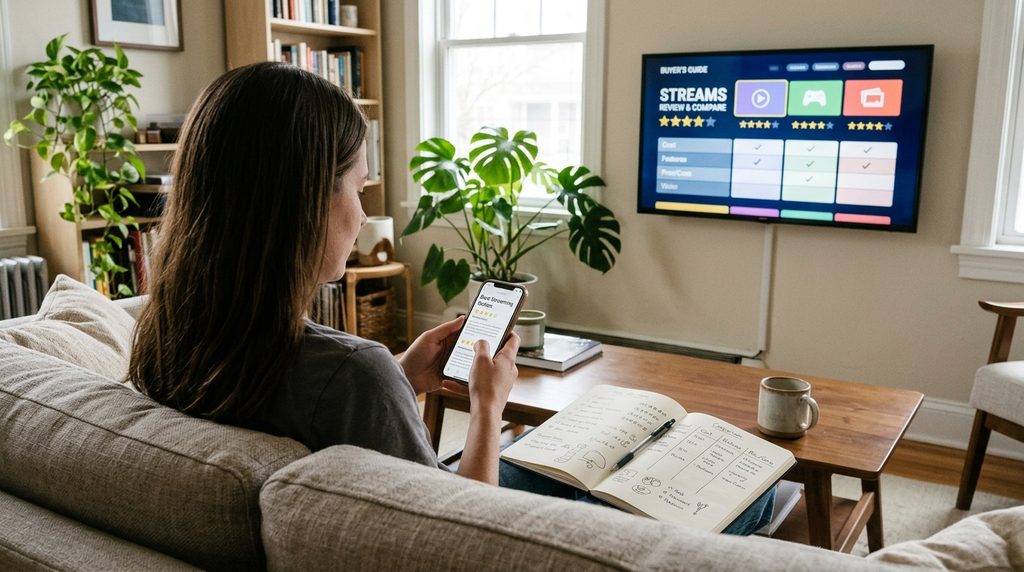
Before placing an order for an IPTV subscription in the USA, make sure you can answer these questions with confidence:
- Is the seller’s website identity, customer contact information and relationship to any similarly named brands clear?
- Can it explain the authorization for the specific channels and programming offered?
- Are the price, currency, renewal dates, connection limits and optional fees explicit?
- Does the service support your exact TV, streaming stick, phone or computer?
- Are the must-have channels and local sports available to your ZIP code or region?
- Have you read the trial, cancellation and refund policies before sharing payment information?
- Have you tested real playback, guide accuracy and support where a trial is offered?
- Do you have a copy of the purchase confirmation and terms?
If a critical answer is missing, ask for clarification before paying. A reliable purchasing decision depends on verifiable details, not a dramatic sales claim.
Frequently Asked Questions
Is IPTV legal in the United States?
IPTV as an internet delivery technology is not inherently illegal. Whether a particular service may distribute a TV channel, movie or sporting event depends on its rights and applicable law. Look for evidence of authorized programming rather than treating a working stream as proof of permission.
Do I need a separate IPTV player?
That depends on the service and device. Some authorized TV subscriptions have their own first-party apps. Others may rely on compatible third-party playback applications. Confirm the required software and any extra charge with the seller before subscribing.
Can I watch on a Fire TV Stick and a phone?
Possibly, provided the service supports compatible apps on both devices. Whether they can play at the same time depends on the purchased connection allowance and the provider’s account rules.
Does every IPTV subscription offer a free trial?
No. Trial availability, duration, payment requirements, content coverage and renewal rules vary. Read the actual offer; do not assume “free trial” means no future billing or unrestricted access.
Will a 4K television make all IPTV streams 4K?
No. A 4K display cannot create detail absent from the source. Picture quality depends on source resolution, encoding, supported apps, the device and network conditions. Ask whether the specific content you want is available in that resolution.
What is the difference between one connection and one device?
A device is the physical product or compatible application you use. A connection commonly refers to an active viewing session, but each seller can define its terms differently. Confirm the precise rules instead of relying on general usage.
Why are some sports unavailable even when the channel is listed?
Broadcast rights and regional restrictions may vary by game, network and geographic location. A channel listing does not override a blackout or establish authorization to carry a specific event.
What should I do if a subscription does not work after payment?
Save the receipt and written offer terms. Contact the seller using a verified support channel and provide the device model, app, error message, and time of failure—but not public passwords or private playlist URLs. If a seller does not honor its documented terms, review your payment provider’s dispute process and relevant consumer-protection guidance.
Final Thoughts: Choose a Plan You Can Verify
A suitable IPTV subscription is not simply the one with the longest list of channels. For US viewers, the better approach is to match an authorized offer with a supported device, sufficient simultaneous streams, a transparent total price, and practical support. A short trial or low-commitment option can help you understand the viewing experience before taking on a longer term.
Considering an offer on this website? Review the current information and contact options on KenoaTVS.us before purchasing. Confirm seller identity, programming rights, plan details, billing and any trial conditions directly.